We’re very happy to announce the alpha-release of the MUSES Calculation Engine, and we really appreciate you being on board to help us test it.
This is an early version, so your feedback is crucial in helping us improve it. I’m opening this topic for us to report bugs, provide feedback and share ideas on what you believe can be improved.
Bug Reports: Have you encountered any issues or unexpected behavior? Please share detailed descriptions and, if possible, steps to reproduce the bug.
Feedback: We want to hear your thoughts on the current functionality. What’s working well, and what could use some improvement?
Ideas: Do you have suggestions for new features or optimizations? Could something in the documentation be improved? Please let us know!
Also, feel free to create new topics to discuss issues you encountered or share feedback, if you prefer that.
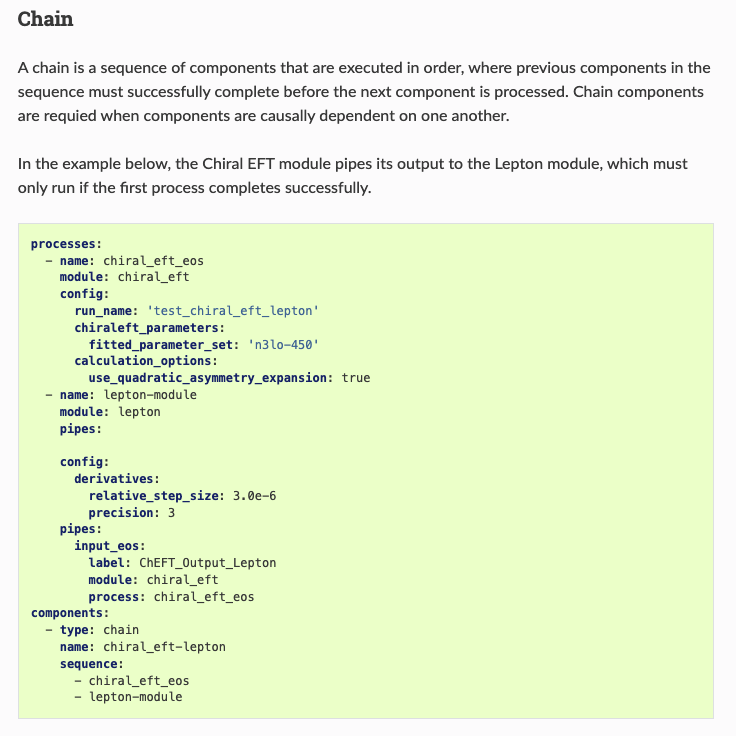
I was writing a Crust DFT - Lepton workflow, and by mistake I used module instead of name in the components section. This resulted in an Input error in the Jupyter notebook
HTTP 400 "Failed to launch workflow: 'NoneType' object has no attribute 'task'"
But, looking at the list of jobs in the CE (at https://alpha.musesframework.io/ce/jobs/), I see that all the jobs I sent with a wrong name in the components are still marked as Pending. This ended up with me unable to launch jobs, as I had too many Pending jobs.
This can be reproduced by adding any typo to the components. You can reproduce it with the config below.
We’re encountering a bug where the volume mounted at /scratch is not being cleared properly between tasks, causing the system to eventually run out of space.
The error arises in a Celery task, where the system is trying to create a directory under /scratch using the Python os.makedirs(), but the volume has run out of space due to accumulated data from previous jobs. As a result, you might see your job fail with the following error:
OSError: [Errno 28] No space left on device: '/scratch/<job-id>'
We appreciate your patience as we address this issue.
The following has emerged while discussing with Jean-François Paquet, Mayank Singh and Teerthal Patel (who have also been invited and helped me through the process):
I successfully followed the steps without major problems until the unzipping of the engine files. Then there was the step where docker was required.
We think that either the instructions to install docker should be linked on the website since it is not trivial to install it. As an alternative, apptainer could also be provided, since it does not require the same system privileges as docker. Another alternative would be to also provide instructions on using anaconda. We even reached the same memory allocation error that is being fixed currently through this method. Finally, the list of libraries required should be available for those not wishing to install anything.
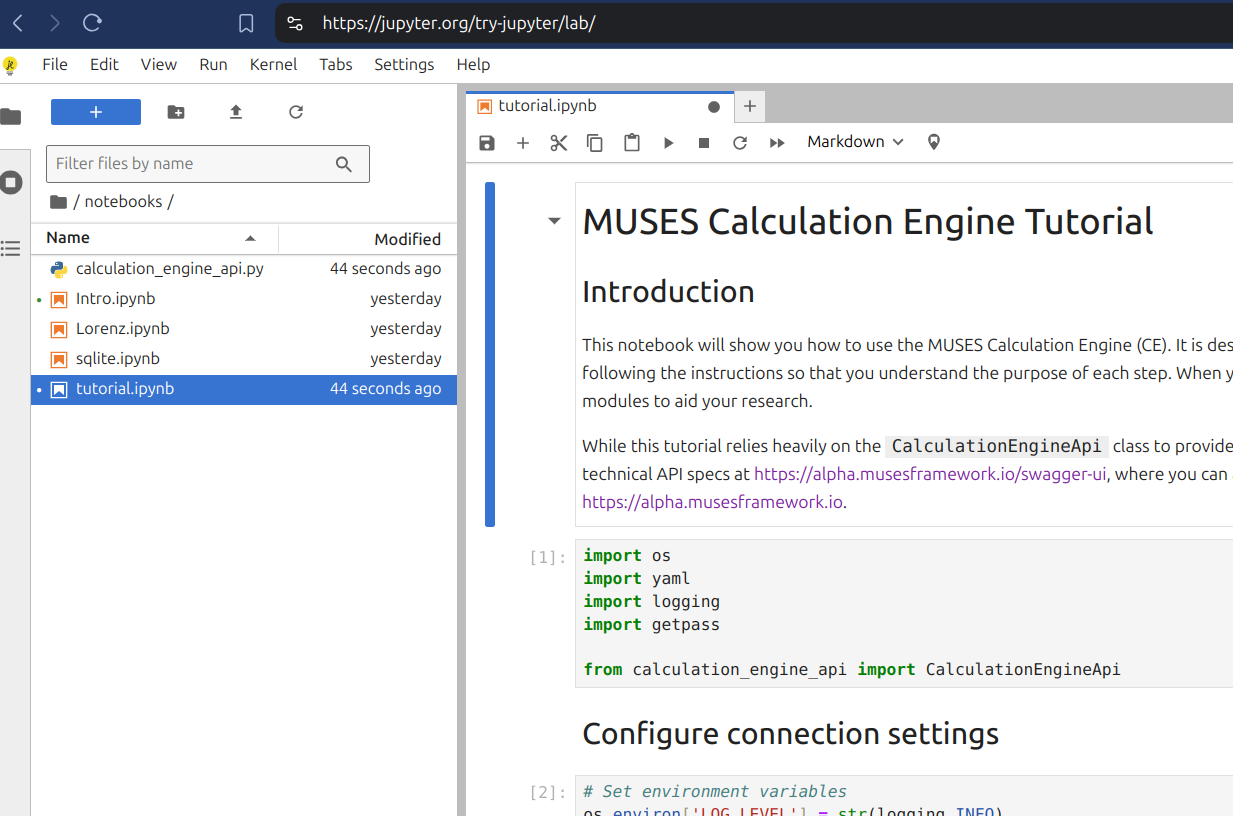
Welcome, @gabriel.soares.rocha Thanks for sharing your thoughts. Are you referring to running the tutorial? There are so many ways to run a Jupyter notebook that we cannot support them all with direct documentation, primarily because it would rapidly become obsolete. Instead, I put a link to the Jupyter website where you can find the best documentation to meet your specific needs. I see there is an in-browser JupyterLite that might even be sufficient if you drag-and-drop the two required files (calculation_engine_api.py and calculation_engine_api.py) into the file browser.
Then after a few minutes I launched the job, there is a failure message
Traceback (most recent call last): File "/home/ce/.local/lib/python3.11/site-packages/celery/app/trace.py", line 453, in trace_task R = retval = fun(*args, **kwargs) ^^^^^^^^^^^^^^^^^^^^ File "/home/ce/.local/lib/python3.11/site-packages/celery/app/trace.py", line 736, in __protected_call__ return self.run(*args, **kwargs) ^^^^^^^^^^^^^^^^^^^^^^^^^ File "/opt/app/calculation_engine/tasks.py", line 193, in run_module s3.download_object( File "/opt/app/calculation_engine/object_store.py", line 95, in download_object self.client.fget_object( File "/home/ce/.local/lib/python3.11/site-packages/minio/api.py", line 1118, in fget_object stat = self.stat_object( ^^^^^^^^^^^^^^^^^ File "/home/ce/.local/lib/python3.11/site-packages/minio/api.py", line 2043, in stat_object response = self._execute( ^^^^^^^^^^^^^^ File "/home/ce/.local/lib/python3.11/site-packages/minio/api.py", line 440, in _execute return self._url_open( ^^^^^^^^^^^^^^^ File "/home/ce/.local/lib/python3.11/site-packages/minio/api.py", line 423, in _url_open raise response_error minio.error.MinioException: S3 operation failed; code: NoSuchKey, message: Object does not exist, resource: /phy230156-bucket01/apps/ce-alpha/prod/jobs/a0f2ca29-8efc-4481-ae6c-8056f2465faf/chiral_eft_eos/opt/output/output_lepton.csv, request_id: tx00000294c28bb68dc665b-0066ed92bb-8e89e1-default, host_id: None, bucket_name: phy230156-bucket01, object_name: apps/ce-alpha/prod/jobs/a0f2ca29-8efc-4481-ae6c-8056f2465faf/chiral_eft_eos/opt/output/output_lepton.csv
I believe the Lepton output is not currently generated by default in the Chiral EFT module. The flag include_output_lepton has to be enabled. The dev is aware and will change the default to true in the next version.
Also, to generate a beta-equilibrated EoS or a charge-neutral grid, use the use_beta_equilibrium or/and the use_charge_neutrality flags in lepton.
Below is an example config, with some extra options you might want to use.
Perhaps you could open an issue so we can replace the example in the docs with the functioning config? It will help the project and give you good open source karma
I have another question though…
Currently in the module documentation, I can find a detailed description of different parameters that can be specified in config only for the chiral EFT module. Will there be a similar table containing config parameters for other modules in the future (or maybe there are already but I missed them)?
This is one of the most valuable kinds of feedback for the module developer teams. To answer your technical question, the definitions of the data structures of module inputs and outputs should ultimately be found in the OpenAPI specification files included in the MUSES module source repo, but you are not expected to know that nor to be able to parse that file yourself.
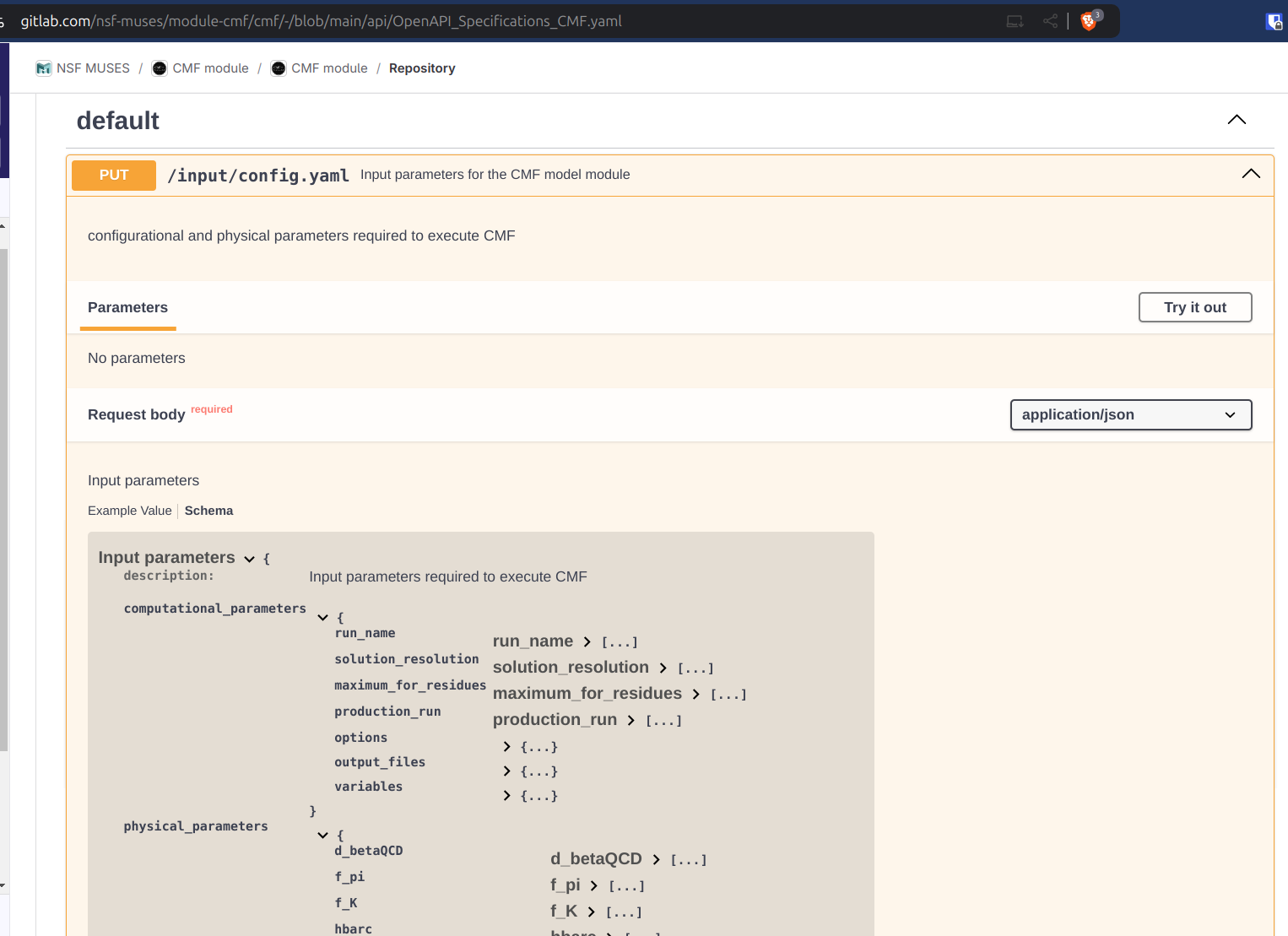
If we look at the CMF module as an example, the Usage section has a link to its openAPI CMF specifications yaml. That link takes you to the spec file that GitLab conveniently renders into an interactive webpage. (We do the same thing to turn the raw spec for the Calculation Engine’s API into a more user-friendly page.) If you expand the input config definition on the CMF API spec, you can drill down to find all the options; you have to click Schema and then expand each top-level data structure section. Looking at this from your fresh perspective it is painfully obvious how much work our module teams @devs
need to do on making this information more accessible and prominent in their documentation
Thanks for the detailed explanation! I think putting the data structure either directly in documentation or in openAPI works for users, as long as there is an example showing how to write/generate the yaml. IMHO, maybe it’s better to perform in a consistent way, since currently there’s only definition of data structure in chiral EFT and I got confused.
p.s. I don’t have access to the openAPI CMF spec yaml now (error 404), but I do see a similar openAPI link in chiral EFT, so I can follow your guidance above.
Thanks again for all the efforts to make it more user-friendly!
 Thanks for sharing your thoughts. Are you referring to running the tutorial? There are so many ways to run a Jupyter notebook that we cannot support them all with direct documentation, primarily because it would rapidly become obsolete. Instead, I put a link to